Turn Your Courses Into
Upload your course materials and let AI answer student questions, highlight knowledge gaps, and save you hours every week.
Everything You Need to Teach Better
A complete AI teaching assistant designed to save you time and help your students succeed.
All Your Course Content, Unified
Bring together PDFs, notes, slides, and docs in one place from Google Drive, Notion, and more.
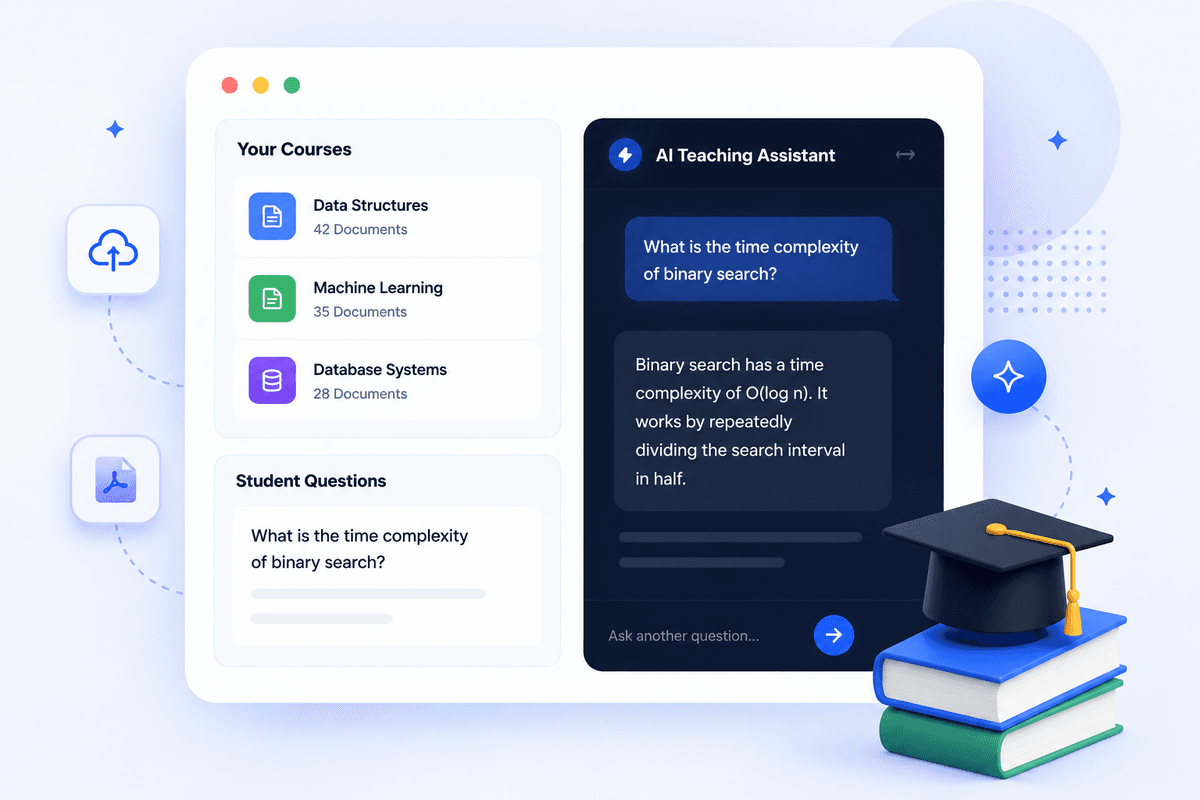
AI Answers Student Questions Instantly
Students get accurate answers 24/7 based only on your approved materials. Zero hallucinations.
Understand Where Students Struggle
Get insights into what topics students are confused about and track comprehension trends across the class.
Focus on Teaching, Not Repetition
Eliminate repetitive emails and forum posts. Let AI handle the basic questions while you focus on high-impact teaching.
Always Up-to-Date
Any new material you upload is instantly available to students. No manual syncing required.
Institutional-Grade Security
End-to-end encryption, academic privacy compliance, role-based access control, and secure data isolation protocols.
Global Language Capability
Support international students. The system intelligently detects and responds in the student's native language context.
Seamless Integrations
Works seamlessly with your existing tools, including Google Drive, AWS S3, Dropbox, and major LMS platforms.
Four Steps to a Smarter Classroom
Setup takes less than 5 minutes. No technical expertise required.
Upload Your Materials
Simply drag and drop your lecture notes, slides, and syllabus, or connect directly to Google Drive.
AI Learns Your Curriculum
Our system instantly processes your materials to build a deep, contextual understanding of your course.
Students Ask Questions
Students get 24/7 support with accurate answers based strictly on the materials you provided.
You Get Insights
Monitor what topics students are struggling with and adjust your teaching strategy accordingly.
Deploy VTA at Scale
Empower your faculty with the tools they need to succeed, while maintaining complete control over data and security.
Scalable Across Departments
Easily deploy VTA across your entire institution. Centralized billing and management for IT teams.
Secure and Compliant
Built to meet strict educational privacy standards (FERPA). We never train public AI models on your data.
Easy Onboarding
Works with Google Drive and integrates seamlessly with major LMS platforms like Canvas, Moodle, and Blackboard.
Supported by the NVIDIA Academic Grant Program
VTA — Virtual Teaching Assistant — was developed as an outcome of the NVIDIA-supported project, A Multimodal Mixture-of-Experts Framework for NVIDIA DLI & University Classrooms. The project received 32,000 NVIDIA A100 GPU-hours to support the research and development of AI-powered learning experiences for university classrooms and professional training.
Grounded, Course-Specific Answers
VTA is designed to generate answers grounded in instructor-provided course materials. Responses include citations to the relevant source documents, allowing students and instructors to review and verify the information.
NVIDIA-Accelerated Development
NVIDIA A100 GPU resources supported the development and evaluation of VTA's AI capabilities, including the processing of educational resources such as lecture materials, presentations, documents, and other course content.
Security, Reliability, and Transparency
1. Classroom Data Isolation
Course materials are isolated by classroom to prevent content from being shared across courses.
2. Course-Material Grounding
VTA is designed to prioritize instructor-provided materials when answering questions, reducing unsupported responses and keeping assistance aligned with the course context.
3. Verifiable Responses
Answers include references to the supporting course materials whenever available, helping students and instructors verify information and return to the original learning resources.
Research supported by the NVIDIA Academic Grant Program using NVIDIA A100 GPUs.

Project Lead
Dr. Parteek Kumar Bhatia
Dr. Parteek Kumar Bhatia is an Associate Professor in the School of Electrical Engineering and Computer Science at Washington State University, Pullman. He is the principal investigator of the NVIDIA-supported project A Multimodal Mixture-of-Experts Framework for NVIDIA DLI & University Classrooms, which led to the development of VTA—Virtual Teaching Assistant.
A Gold-Tier NVIDIA DLI Ambassador and recipient of the MeitY Young Faculty Research Fellowship, Dr. Bhatia has secured more than $246,000 in competitive research funding and published over 100 research papers.
He is the author of bestselling textbooks, including Machine Learning with Python and Data Mining and Data Warehousing, both published by Cambridge University Press. His online courses have reached more than 45,000 learners worldwide.
Frequently Asked Questions
Everything you need to know about getting started with VTA.
Transform Your Classroom
Today
Join leading educators and institutions using AI to save time, engage students, and deliver better outcomes.